Home Bakery Mini-Site: Product Cards and Closed Releases
By BotMarketing.pro published updated
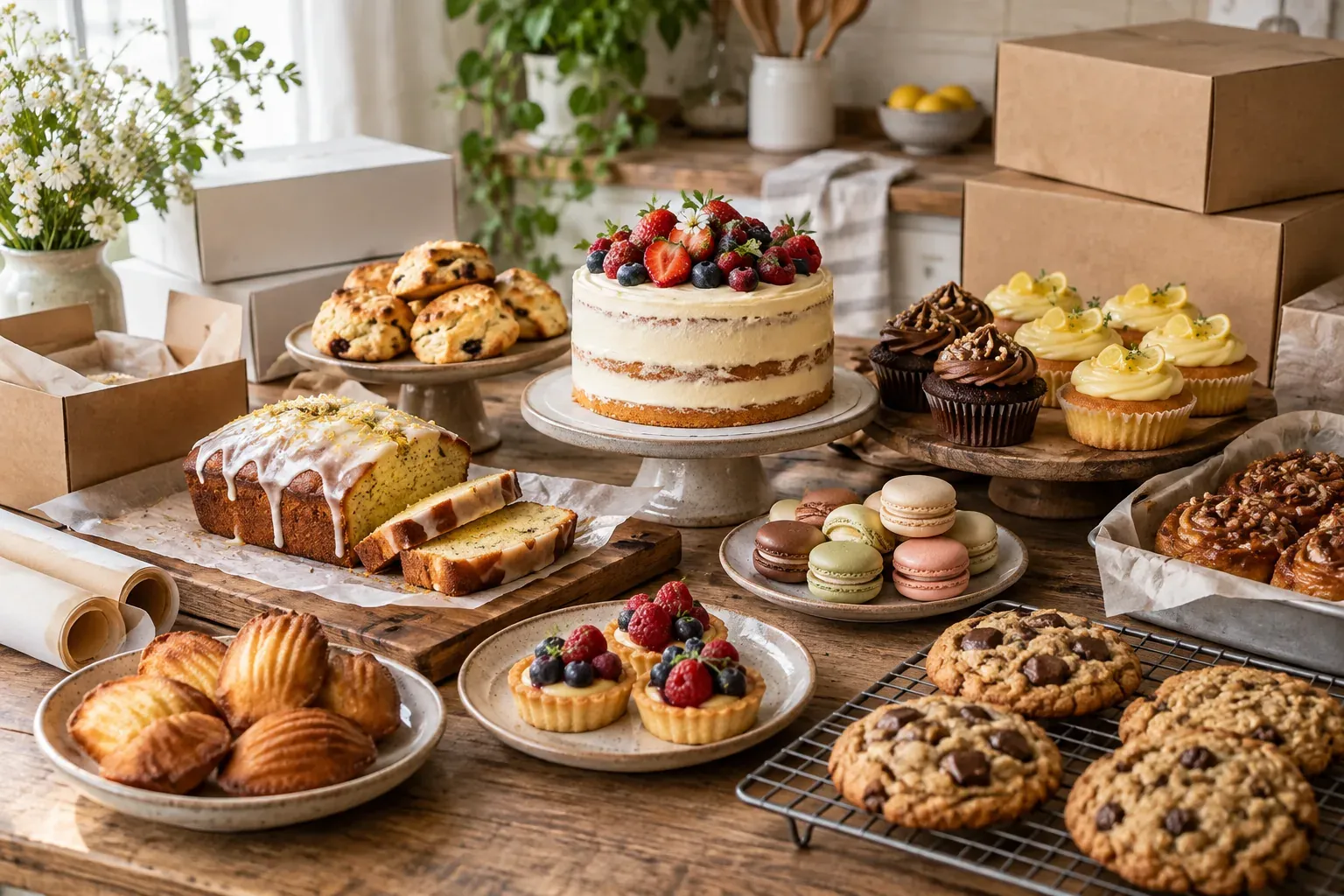
A brownie box in your regular range, a dated treat drop and a cake you made for a previous client are three different offers. A visitor should not have to infer which one they can order from a photograph. A gallery of finished work can demonstrate your style without promising that every design is available at the displayed price.
A home bakery mini-site should explain the purchase, price, timing, fulfilment and next step before the customer starts a conversation. Below are two sample product cards and a closed-release message. All prices, dates, sizes and quantities are fictional; adapt the examples to your actual production and market.
Give regular products, releases and portfolio work different roles
Build the menu around formats you can consistently offer. “Brownie boxes” helps a customer choose; “Our favourites” does not tell them what the category contains. A regular product can still be made to order. A dated release needs its own collection window and closing conditions.
- Regular range: a defined product and price, with the requested collection date checked separately.
- Limited releases: the box contents, release date, order cutoff and available allocation.
- Portfolio: previous commissions labelled as examples; a new design and quotation need discussion.
Use your own photos or images you have permission to use. Show the complete purchase, its scale and packaging. If a styled image includes other desserts, clarify what is included. Do not place a single-product price below a photograph of an entire hamper. Obtain appropriate permission before publishing a customer's private details or personalised inscription.
BotMarketing's public storefront presents categories and individual active product pages. Names, teasers, prices, images and descriptions can explain these differences. A description does not create a production calendar, custom flavour selector or separate portfolio module.
Turn a photograph into an offer someone can assess
Explain the unit being sold, quantity or size, price, permitted changes, preparation time and fulfilment. Put decisive restrictions in the visible summary rather than relying on a long description. “Eight-piece box, collection only on 28 November” answers a buying question that “a thoughtful gift” leaves open.
The Makazai pre-order menu distinguishes the advance-order menu from pickup and delivery choices. That is a useful presentation principle; its ordering controls and terms are not BotMarketing features or rules for every bakery. Verify food-business requirements in your own market. Accurate ingredients, allergen information and relevant handling details must be available before the customer buys; a generic “nut-free” note cannot establish that a kitchen can meet an allergy requirement.
A regular product with a defined unit
A fictional product card:
Classic brownie box, 6 pieces, 420 g — $18 per box. One fixed recipe, no toppings or flavour swaps; box included. The photograph shows all six pieces. Serving size depends on how the customer shares them.
Made to order with at least 3 working days after confirmation; production days are Tuesday to Saturday. We check your requested date before accepting it. Collection in the Example Park area, with the time and exact meeting point agreed privately. Delivery is not offered for this product.
Read the verified ingredients and allergen information in the detailed description before ordering. If information is missing or you need a recipe change, ask first. Continue to the Telegram order and include your preferred collection date.
This models the commercial fields, not a complete food label: a real card needs the stated verified food information before publication. Use your own recipe, portions, price and lead time. A request for a different size or recipe is a separate discussion; a checkout comment does not automatically change the catalogue price.
A limited box tied to one release
28 November 2026 treat box — $28 for 8 pieces. Includes 2 brownies, 2 chocolate cookies and 4 mini lemon loaves. Fixed assortment, box included. The photograph shows those eight items; display props are excluded.
Request by 5 p.m. on 26 November, bakery local time, or earlier if the allocation fills. Collection on 28 November, 10 a.m.–noon, in the Example Park area; no delivery. At the fictional check on 25 November at 10 a.m., 3 boxes remain. That is a dated observation, not a promise that the quantity will remain available.
Verified ingredients and allergen details for every component need to be available in the description before purchase. Ask about restrictions before ordering. We confirm the date and quantity separately; submitting a request does not mean a box is ready.
One catalogue unit is the whole eight-piece box. Check availability against commitments, including orders taken outside Telegram. Two products sharing the same kitchen allocation must not each present that allocation as independent stock. Use the bakery batch allocation guide when planning a release.
Make closed releases useful without accepting new orders
Update the description and disable ordering when the release closes. A sold-out message beside an active order button gives conflicting instructions. After closing the sample box, the card could say:
The 28 November box is closed: we are accepting no more requests for that date. Browse the regular range and ask about your preferred collection date first. The next release has not been announced. We will not add you to a waitlist without your agreement.
In BotMarketing, an active goods item with stock set to zero shows as out of stock and cannot be ordered. Disabling ordering leaves an informational card while removing order actions. Making the item inactive removes it from the public storefront and makes its individual page unavailable. If you have already shared the release link, retaining an active explanatory card with ordering closed can be more useful than hiding it. This is not an automatic archive or redirect system.
A blank stock field means unlimited quantity in the system. Limited goods stock decreases when an order is created, rather than only after payment, and cancellation restores quantity. A restored unit must not reopen an expired release: staff still check the deadline and availability. One stock number cannot coordinate kitchen capacity, external orders and all collection dates.
Check the page as a first-time customer
Open the public link on a phone without relying on knowledge from earlier conversations. For each purchasable product, check:
- The name and photograph identify the complete purchase; previous commissions are labelled separately.
- The unit price, item count or size and included packaging are clear.
- Preparation terms, any release date, cutoff and relevant timezone are stated.
- Verified ingredients, allergens and necessary storage information are available before purchase, without unsupported safety guarantees.
- Collection area or delivery zone, delivery charge and address arrangements are explained.
- The working order link opens the selected product; a closed product accepts no new orders.
For standard goods, the storefront order link opens the Telegram bot. Mini App cart checkout accepts a comment of up to 1,000 characters for a preferred date or collection question. It is not a required date-selection form; staff read the request, check capacity and confirm terms. Browsing the public page alone does not create a bot customer. A bespoke celebration cake needs the separate cake brief and approval process.
Start with a range whose terms you can keep current. After a price, recipe or availability change, review the public storefront and Telegram journey together so every shared link describes the same offer.