Why BotMarketing.pro settings are not a formality, but the basis for how customers find you
By BotMarketing.pro published updated

When first getting to know BotMarketing.pro, it is easy to treat settings as a required but secondary step: fill in the fields so the bot starts, and return to them "sometime later".
The problem is that this stage shapes the future perception of your business. Settings in the system are not internal "admin panel" information, but data that customers and search engines see.
Important explanation:
A "company" in BotMarketing.pro is not a legal entity, but your activity as an entrepreneur.
One person, a private specialist, a small service, cafe, rental, or online service are all a company in the system context.
All information you provide:
- is shown to customers in the Telegram bot;
- appears on your company mini-site;
- goes into the service company catalog;
- is indexed by search engines and can bring new traffic.
In essence, this is your digital showcase. Trust and number of requests directly depend on how thoughtfully it is filled.
Company name and business-card address: how people find and remember you
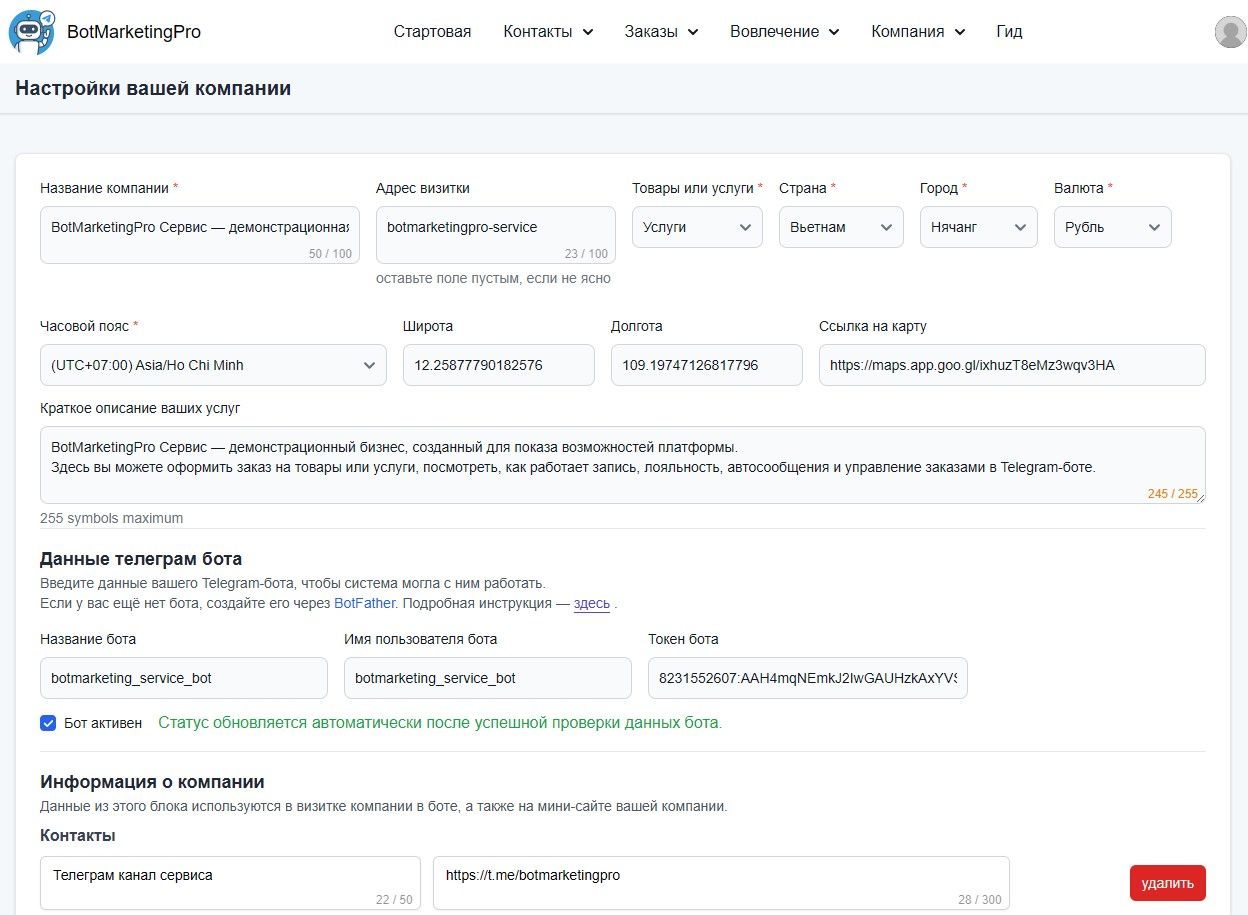
Company name is the first thing a person sees. It appears in the bot, mini-site, catalog, and search. Here it is important to think not like an official owner, but like a customer seeing you for the first time.
A good name immediately answers a simple question: who you are and what you do. It can combine a name and service or clearly describe the activity, without official wording or internal terms.
The "Business card address" field is the address of your mini-site. You can enter a name in Russian: the system automatically converts it into a valid URL. Latin characters are needed only if you want to set the exact address manually.
It is important to understand that this address is best chosen immediately and for the long term. The mini-site is indexed by search engines over time, customers may save the link, and you may use it in social media, advertising, or offline materials. If the address changes, all these entry points are lost, so treat this field as the permanent internet address of your business.
Products, services, and overall work format
In company settings you can specify whether you work with products, services, or a mixed format. At the moment this field is informational and helps describe the business in general.
The real work logic is defined later in categories and specific products or services. Regardless of the selected option, you can create services, products, or combine them. So here it is enough to choose the description that generally matches your activity, without trying to guess the "only correct" option.
Country, city, and currency: local context matters
Country and city are not just reference data. They are used in the company catalog, shown on the mini-site, and help the system place your business in the right geographic context.
If you work in a specific city, it is worth specifying it. For a small business, locality is one of the key factors of trust and search.
Currency sets the format for all prices in products and services. It is used by default throughout the system, so it is logical to choose the currency in which you actually work with customers, so prices look familiar and clear.
Time zone: so the system lives in your time
The time zone defines how the system understands time: when to send notifications, what time to book customers for, and how to show order and booking dates.
All actions in the system happen in the selected time zone. Usually it is already set correctly and matches the selected city, so in most cases it does not need to be changed. A correct time zone prevents situations where a customer receives reminders at the wrong time or gets confused about the booking time.
Geolocation and map: a sense of real presence
If you have an offline location, mobile services, or a clear work geography, it is worth specifying coordinates and a map link. This makes the business more tangible: the customer understands where you are located or which area you work in.
Even if customers do not need to visit you, a map and geolocation increase trust and create the feeling of a real, not abstract, service.
Company description: text that works instead of explanations
A short service description is one of the most important elements. It is shown in the company card, bot, mini-site, and can appear in search results.
This is not advertising text and not a formality. Its task is to calmly and clearly explain what you offer and how to interact with you. Simple wording, human language, and specifics work better here than any "salesy" phrases.
Detailed company description completes the picture. It appears on the mini-site and lets you explain the work format, services, conditions, and details that customers should know in advance. This is a place for clarity and trust, not beautiful words.
System and bot settings: how the first customer touch happens
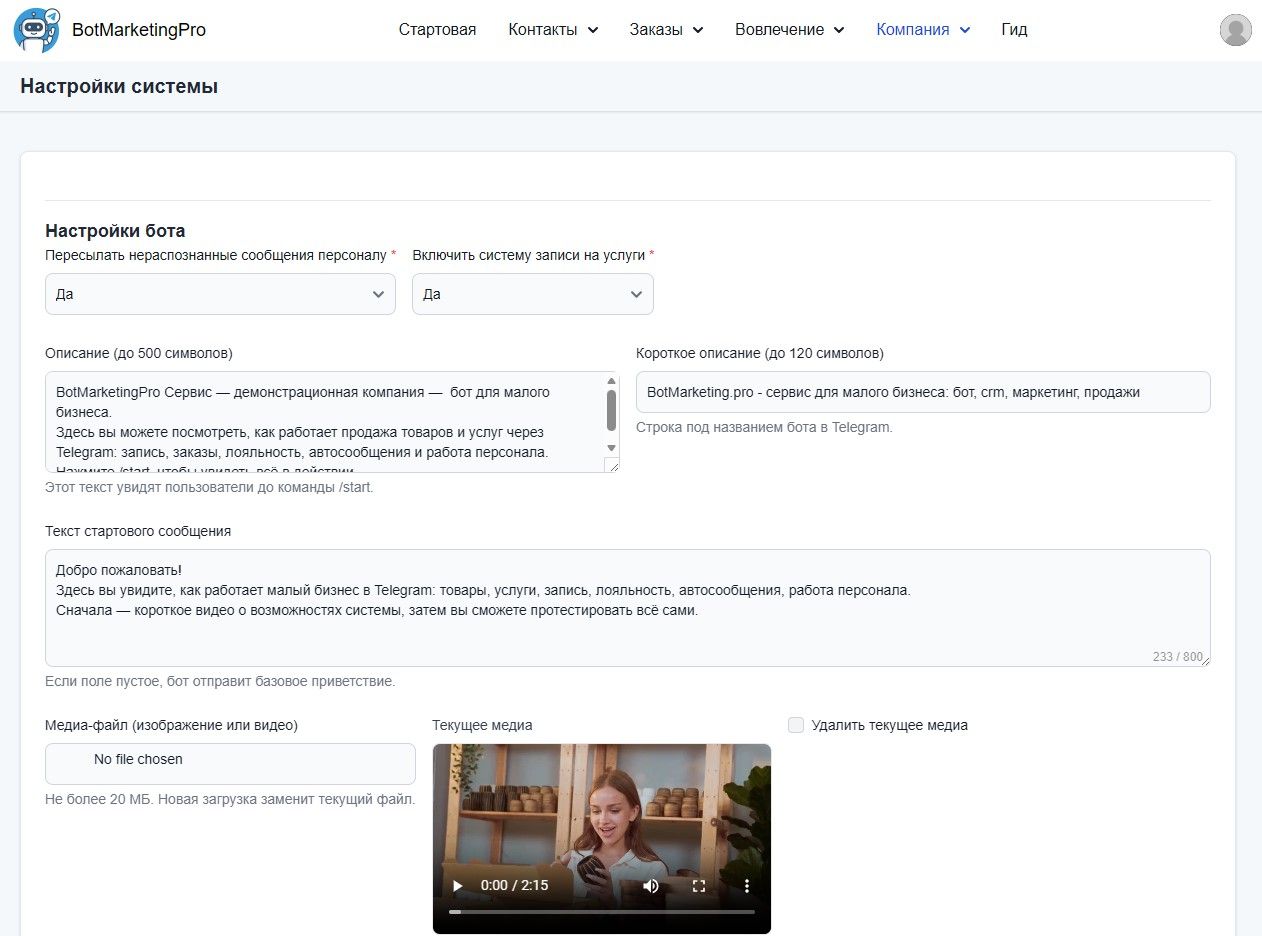
The system and bot settings section defines how the customer interacts with you from the first seconds.
Here you configure whether unrecognized customer messages are forwarded to staff, whether service booking is enabled, what bot description the person sees in Telegram, and what message they receive immediately after /start.
In practice, this is the first-introduction scenario. A well-configured bot:
- explains where the user has arrived;
- shows what can be done here;
- does not leave the customer feeling "I clicked, and I do not understand anything".
The start message is the beginning of a dialogue, not a technical notification. If a video or image is added, the customer understands the format and capabilities of the service faster.
Bot assistant for a personal Telegram account
If customers message the owner or staff directly, the separate Engagement → Bot assistant page configures a greeting for Telegram Business Chat Automation. It does not replace the regular bot start message: the assistant greets the person in the personal account and can add a link that opens the bot and its Mini App.
The page controls the greeting text, inactivity period before another greeting, and the bot invitation. Only the company owner and registered staff may connect their accounts. See the complete instructions in Telegram Business and Chat Automation.
Categories and products: clear structure instead of chaos
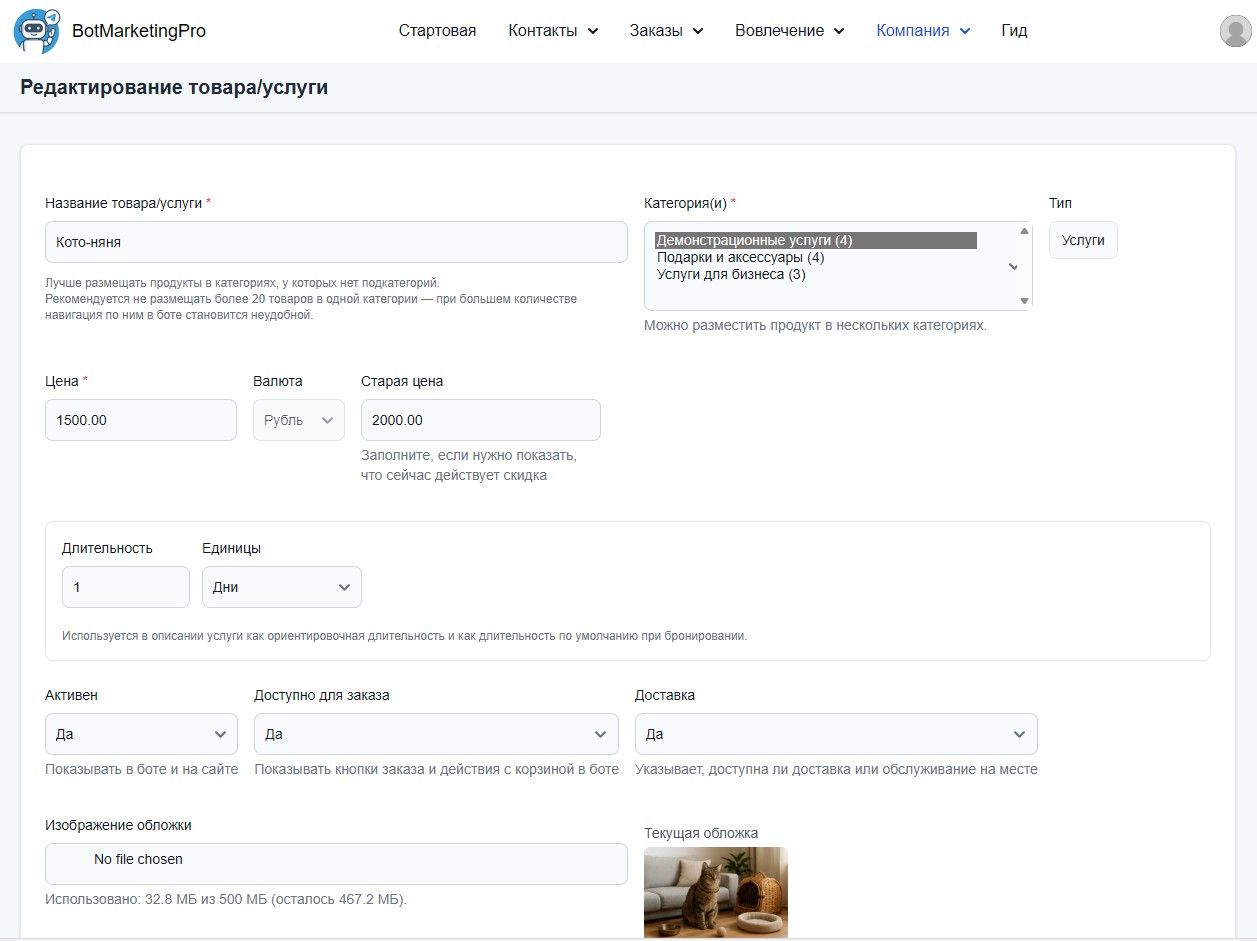
Categories are needed when there are more than a few offers. They help the customer navigate quickly and not get lost in the bot or mini-site.
The category type defines what is inside: products, services, or a mixed set, and affects ordering scenarios and interface display. The category name should be understandable without explanation, while an image and short description help the customer decide whether to open it.
A product or service card is a separate point of contact with the customer. Name, price, images, short and full description together form an impression and remove questions. Even without active sales, a neatly filled card saves your time and increases trust.
Why all of this directly affects customers from search
Every company mini-site in BotMarketing.pro is a full page that is indexed by search engines and participates in the service company catalog. It can bring new customers even without advertising.
But this works only when the site is filled: there is a name, description, city, categories, products or services, and images. Empty or formal fields make it almost invisible both to people and search.
Conclusion
In BotMarketing.pro, settings are not a technical barrier that must be "passed", but part of the packaging and communication of your business.
If you treat them as a living presentation of your activity, the system starts working for you: it helps you be found, create trust, and bring customers back. This is where a sustainable small business in Telegram begins.